✦ 100% Free  ·  No Sign-up Required

Inject Keywords Into
Any Image, Instantly

Embed SEO metadata — keywords, titles, copyright, and EXIF tags — directly inside your image files. Everything runs in your browser. Your files never leave your device.

Start Injecting — It's Free See How It Works
Keyword Inject - 3D representation of EXIF and IPTC metadata glowing inside a physical photograph
100%
Client-side — private
EXIF
+ IPTC Standards
Bulk
Batch processing
Free
Forever, no limits

Everything You Need, Nothing You Don't

A focused, powerful tool built for photographers, designers and content creators who care about image discoverability.

100% Private

All processing happens in your browser. Your images are never uploaded to any server. Complete privacy, guaranteed.

EXIF & IPTC Injection

Embed keywords into both EXIF (Windows Tags) and IPTC fields — the two industry-standard metadata formats read by search engines and asset managers.

Bulk Processing

Upload dozens of images at once. Apply the same keyword set to your entire product batch in seconds.

Instant ZIP Download

Download all your tagged images as a single ZIP file, organized and ready to use — no waiting, no email.

Rich Metadata Fields

Beyond just keywords — inject title, author, copyright notice, software tag, and date. Build a complete metadata profile.

Works Everywhere

No installation. No plugins. Runs in any modern browser on Windows, Mac, or Linux. Use it anywhere, anytime.

From Upload to Tagged in 3 Steps

No learning curve. No settings to configure. Just results.

Keyword Inject Workflow Diagram - Sleek dark mode 3d isometric illustration showing a generic JPEG file coming out fully tagged

Fill in Your Metadata

Enter your keywords, product title, author name, and copyright information into the simple form.

Upload Your Images

Drag and drop your JPG or PNG files — upload as many as you need in one go.

Download Tagged Files

Click "Inject & Download". Get a ZIP with all your images fully tagged and ready to publish.

Built for Every Image Creator

Whether you sell products, license photos, or manage digital assets — metadata matters.

Photographers

Embed copyright, author credits, and descriptive keywords into every photo. Protect your work and help buyers find it.

Online Sellers

Tag product images with relevant keywords so they rank better on marketplaces and search engines.

Digital Artists

Add attribution data directly to your artwork files. Your name and copyright travel with every image.

Stock Contributors

Submit fully tagged image files to stock platforms. Proper metadata is required for licensing compliance.

Marketing Teams

Standardize metadata across your entire brand asset library. Maintain consistency across teams and campaigns.

SEO Professionals

Optimize image files before publishing. Properly tagged images improve findability on Google Image Search.

Why Image Metadata Matters for SEO

SEO Growth Concept - Stylized glowing 3d bar chart trending upwards with a colorful magnifying glass icon at the peak

In the highly competitive world of digital commerce and search engine optimization, visual content is no longer just for human eyes. Search engines like Google, Bing, and marketplace algorithms on Etsy, Shopify, and Amazon rely heavily on hidden data to understand what an image depicts. This hidden data is known as Image Metadata.

The Invisible SEO Layer

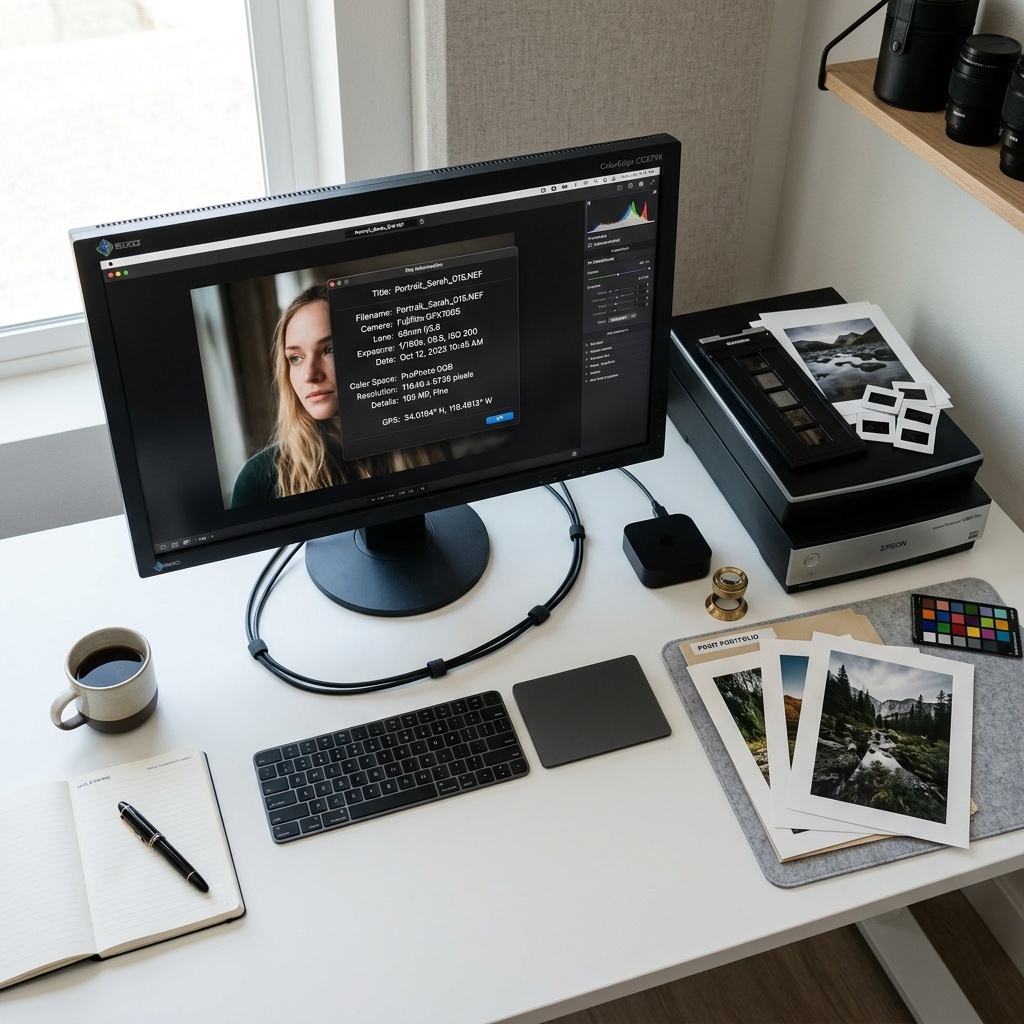
When you take a photo with a digital camera or save an image from Photoshop, the file stores data behind the scenes. Traditionally, this included camera settings, date, and time. However, the most critical metadata fields for SEO are the Title, Description, and Keywords. By manually injecting these fields into your image files using a tool like Keyword Inject, you are providing search crawlers with a direct, unambiguous description of your content.

EXIF vs. IPTC Standards

There are two primary standards for embedding this data:

  • EXIF (Exchangeable Image File Format): Originally designed by camera manufacturers, EXIF has been adapted by operating systems like Windows to store "XP Tags" (XPTitle, XPKeywords). Windows Explorer reads these tags directly when you view file properties.
  • IPTC (International Press Telecommunications Council): The gold standard for professional photographers and media agencies. Tools like Adobe Lightroom, Photoshop, and stock photo agencies (Shutterstock, Getty) read IPTC metadata to catalog images and protect copyrights.

Keyword Inject is uniquely powerful because it generates both EXIF and IPTC data simultaneously right in your browser, ensuring maximum compatibility across all platforms and operating systems.

Protecting Your Digital Copyright

Beyond search engine rankings, metadata acts as a digital signature. By embedding your Author name and Copyright Notice deep within the binary code of your JPEG and PNG files, you establish a chain of ownership. If your images are shared across social media or scraped by automated tools, your copyright assertion travels with the file, offering a layer of protection against unauthorized commercial use.

Frequently Asked Questions

Everything you need to know about our image tagging tool.

Is this tool really 100% private?

Yes. Keyword Inject uses modern HTML5 and JavaScript technologies to process your images entirely within your web browser. Your photos are never uploaded to any external server or cloud storage. The ZIP file is generated locally on your device.

Will this help my Etsy or Shopify sales?

Absolutely. E-commerce algorithms favor listings with optimized assets. By embedding descriptive keywords and titles directly into your product images before uploading them to your store, you provide the platform's search engine with more context, which can improve your organic ranking.

What file formats are supported?

We currently support JPG/JPEG and PNG files. Because the EXIF standard is native to JPEG, any PNG files you upload will be automatically converted to high-quality JPEGs in your browser to ensure the metadata is embedded flawlessly.

Are there any limits on file size or quantity?

To ensure your browser doesn't crash during processing, we limit uploads to 50 images per batch, with a maximum file size of 10MB per image. However, you can process as many batches as you like — completely free of charge.

Start Tagging Your Images Today

Free, instant, and completely private. No account. No software to install.